The mobile game development process, from first prototype to Google Play launch
Every stage of making a mobile game, from the brief and the first playable prototype to production, and everything Google Play requires before launch in 2026.
By Elvento Labs11 min read
A mobile game is not built in one go. It is found, a piece at a time, on a phone in someone's hand. We have shipped six games of our own on Google Play, from a looping psychological horror to street cricket, and we build games for publishers and brands the same way. This guide walks through the mobile game development process we use, stage by stage, and then through everything Google Play asks of you before launch day in 2026.
If you are planning a game and want to know what happens between "we have an idea" and "it is live on the store", this is for you.
The mobile game development process at a glance
| Stage | The question it answers | What you have at the end |
|---|---|---|
| 1. Brief | Who plays it, on what phone, and how should it feel? | A one-page brief everyone agrees on |
| 2. Prototype | Is the core loop fun on a real phone? | A playable build and a go-or-stop decision |
| 3. Vertical slice | What does the finished game look, sound and feel like? | One level at final quality |
| 4. Production | Can we build the rest without losing that quality? | Content-complete builds, every week |
| 5. Launch | Is it ready for the store, and is the store ready for it? | A live listing and a release that passes review |
| 6. Live | What do players actually do, and what do we change? | Updates driven by data, not guesses |
The stages overlap at the edges, but the order matters. Each one exists to answer a question cheaply before the next one makes that question expensive.
1. Brief: who plays, on what phone, and one feeling
A good brief fits on a page. It names the player, the device and the single feeling the game has to deliver: dread, mastery, the "one more go" pull of a puzzle. Everything else is negotiable.
The device line is the one teams skip, and it is the one that hurts later. A game for players on mid-range Android phones has different limits on memory, download size and battery than a game for flagship iPhones. Write the target device down, buy one, and keep it on the desk for the whole project.
Two more things belong in the brief:
- How the game makes money, because ads, a one-time unlock and in-app purchases change level design, pacing and the store declarations you will make at launch.
- Which languages and markets you are launching in. Localisation is far cheaper when it is planned for than when it is bolted on. We wrote a separate guide on localising mobile games for India.
2. Prototype: one loop, playable on a device
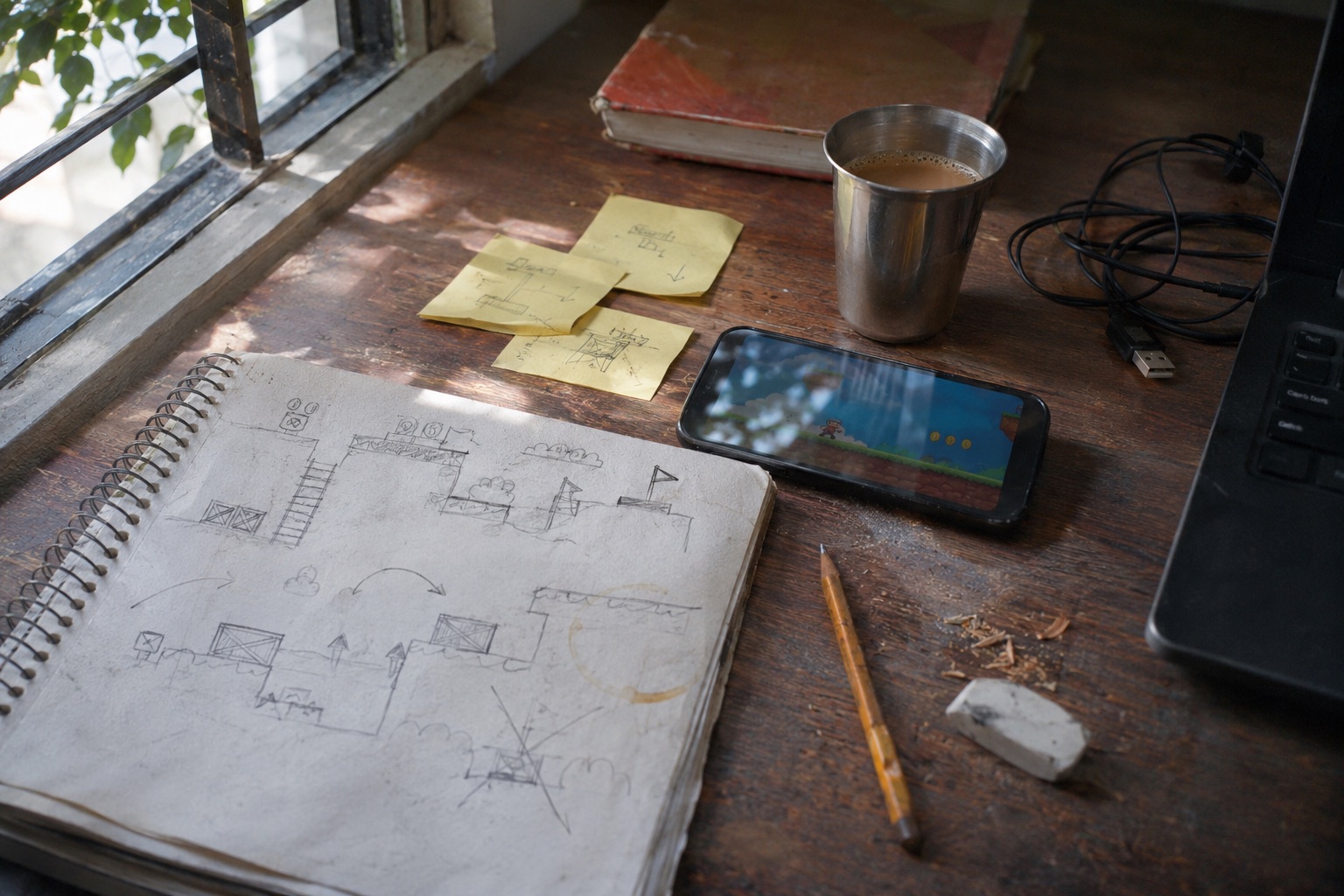
The prototype answers one question: is the core loop fun on a phone? Not in a design document, not in the editor on a laptop, but under a thumb on a real screen.
Keep it small. One loop, placeholder art, no menus. A prototype sprint usually takes us two to four weeks, and it ends with a written note on whether the game should go further. "Stop" is a perfectly good outcome: it is the cheapest one you will ever get.
What we test at this stage:
- Controls first. Touch is the whole game on a phone. In Gully Ka King, one thumb slides the batter into line and the other picks the shot, and that split had to feel right before anything else was built. In Motion Archery, the front camera tracks a real drawing hand on the device, so the question was whether the shot felt like archery at all.
- Session length. Mobile players play in short bursts. A loop that needs twenty uninterrupted minutes will struggle.
- Feel on low-end hardware. If the target phone drops frames in the prototype, it will not get better when the art arrives.
3. Vertical slice: one level that looks finished
A vertical slice is one level, or one chapter, built to final quality: final art, audio, UI, effects and feel. It is the closest thing to the finished game that you can make without building all of it.
The slice does three jobs. It shows everyone, including publishers and investors, what the game will be. It sets the bar that every later level has to meet. And it gives you real numbers for production: how long one level actually took, how big it is on disk, how it runs on the target phone.
4. Production: milestones and a build every week
Production is where most of the budget goes, and where projects drift. Two habits keep it honest.
A build on a real phone every week. Not a video, not an editor screenshot: an installable build that anyone on the team, and on the client's side, can play. Problems surface in days instead of months.
Budgets you track from the start. Frame rate, memory, download size, battery and load times, all measured on the target device. Google Play now measures some of these for you and acts on them (more on that under "Live"), so treat them as requirements, not polish.
There are also two platform requirements worth building in early, because they are painful to retrofit:
- Target API level. Since 31 August 2026, new apps and app updates on Google Play must target Android 16 (API level 36). Existing apps have to target at least API 35 to stay available to new users on newer Android versions. (Google Play Console Help)
- 16 KB memory pages. Apps that target Android 15 (API 35) or higher must support 16 KB page sizes on 64-bit devices. This affects any game with native code, which includes most Unity and Unreal games. From 1 February 2027, updates that do not support 16 KB pages cannot be released. Builds made with Android Gradle Plugin 8.5.1 or newer and NDK r28 or newer are compatible by default. (Android Developers)
5. Launch: what Google Play needs from you in 2026
Launch is part of development, not a step after it. These are the requirements in force on Google Play today.
Your developer account and testing
A Google Play developer account costs a one-time US$25. (Play Console Help)
If you publish from a personal developer account created after 13 November 2023, you cannot go straight to production. You first run a closed test with at least 12 testers who stay opted in for at least 14 days in a row, then apply for production access. Google says it usually reviews that application within seven days. (Play Console Help) Plan those three weeks into the schedule; they are the most common surprise for first-time publishers.
Your build
- Android App Bundle. New apps must be published as an Android App Bundle (AAB), not an APK. (Android Developers)
- Play App Signing. Apps that upload a bundle are enrolled automatically. Google holds the app signing key; you keep your upload key safe. (Play Console Help)
- Size. Each base or feature module can be up to 500 MB. Bigger games move their art into Play Asset Delivery packs, which have their own, much larger limits. (Play Console Help)
Your declarations
- Data safety form and privacy policy. Every app published on Google Play needs a completed Data safety form and a link to a privacy policy, even if it collects no data. (Play Console Help)
- Content rating. Every app needs an IARC content rating from the questionnaire in Play Console, and unrated apps are removed. Answer it again whenever the content changes. (Play Console Help)
- Target audience. You choose the age groups your game is for. If any of them includes children, the Families policy applies, including the rule that only Families Self-Certified ad SDKs may be used. (Play Console Help)
- Ads. If the game shows ads, you must declare it, and the listing shows a "Contains ads" label. (Play Console Help)
Your store listing
| Asset | Requirement |
|---|---|
| App icon | 512 × 512 px, 32-bit PNG, up to 1,024 KB |
| Feature graphic | 1,024 × 500 px, JPEG or 24-bit PNG, no transparency |
| Screenshots | 2–8 per device type, PNG or JPEG, up to 8 MB each |
| Game screenshots for recommendations | At least 3 landscape (1920 × 1080) or 3 portrait (1080 × 1920) showing real gameplay |
| Video | A public or unlisted YouTube link, ads turned off; highly recommended for games |
| Title / short / full description | 30 / 80 / 4,000 characters |
Sources: store listing assets and store listing text.
The gameplay screenshot rule is easy to miss. Mock-ups and marketing art are fine as extra screenshots, but to be eligible for Google Play's game recommendations you need at least three that show the game being played.
Pre-registration (optional)
You can open pre-registration before launch so players can sign up early. A campaign can run for up to 90 days per country, and on launch day the game can install itself automatically for players who signed up (on Wi-Fi and mobile data up to 200 MB, on Wi-Fi only between 200 MB and 2 GB). You can offer a single pre-registration reward. (Play Console Help)
If you are launching on iOS too
On Apple's side, uploads to App Store Connect must be built with Xcode 26 and the iOS 26 SDK since 28 April 2026. (Apple Developer) TestFlight lets you invite up to 10,000 external testers, and each build is available for 90 days. (Apple Developer) Every new app and update needs App Privacy details that also cover the third-party SDKs inside it. (Apple Developer)
6. Live: the game starts on launch day
A launched game is a live product. The first weeks tell you where players stop, what they never find and which phones struggle.
Google Play watches quality too. Through Android vitals it tracks crashes and freezes over the last 28 days, and a game that crosses these thresholds can be shown to fewer players and may get a warning on its store listing (Android Developers):
| Measure | Overall threshold | Per phone model |
|---|---|---|
| User-perceived crash rate | 1.09% | 8% |
| User-perceived ANR rate (app not responding) | 0.47% | 8% |
Since 1 March 2026, excessive wake locks that drain the battery count as well, with a 5% threshold. (Android Developers Blog) The weekly on-device builds from production are what keep these numbers low: you find the phone that crashes before your players do.
Two more things to keep an eye on:
- Play Games Services. Version 1 is deprecated, and new titles that use it are blocked. Use version 2 for sign-in, achievements and saved games. (Android Developers)
- Developer verification. Android's developer verification began in September 2026 in a handful of countries and rolls out worldwide in 2027. Google says it registers most Play apps automatically, but check your account. (Android Developers)
A launch checklist you can copy
- Target device chosen and on the desk
- Prototype played on that device, with a written go-or-stop decision
- Vertical slice at final quality, with real numbers for size and performance
- Targets Android 16 (API 36) and supports 16 KB pages
- Built as an Android App Bundle, enrolled in Play App Signing
- Closed test of 12+ testers for 14+ days (new personal accounts)
- Data safety form, privacy policy, content rating, target audience and ads declared
- Icon, feature graphic, 3+ gameplay screenshots and a video ready
- Crash and ANR rates checked on low-end phones before release
- A plan for the first month of updates
Frequently asked questions
What are the stages of mobile game development?
Brief, prototype, vertical slice, production, launch and live operations. The early stages are cheap and exist to answer the big questions (is it fun, what will it look like, can it run on the target phone) before production makes changes expensive.
How long does it take to make a mobile game?
It depends on the scope far more than the genre. What we can say is how the time splits: a prototype that proves the core loop usually takes two to four weeks, and the launch itself needs at least three weeks of runway on a new personal Google Play account, because of the 14-day closed test and the review for production access.
How much does it cost to publish a game on Google Play?
Registering a Google Play developer account is a one-time fee of US$25. Publishing itself has no further fee; Google takes a service fee on paid apps and in-app purchases.
How many testers do I need before publishing on Google Play?
If your personal developer account was created after 13 November 2023, you need a closed test with at least 12 testers who stay opted in for 14 days in a row before you can apply for production. Organisation accounts are not subject to this rule.
What API level does a new game need to target in 2026?
Android 16 (API level 36), for new apps and for updates, since 31 August 2026.
Build it with us
We run this process for our own games and for studios, publishers and brands, from a prototype sprint to launch and live operations. If you have a game in mind, send us a brief: tell us who plays it and what it should feel like, and we will reply with how we would prototype it.